About the episode
Why is it often harder to find your way to a task than to actually do it? Large enterprise systems are built to handle everything, for everyone, and the price is a forest of menus where half the job goes into navigating
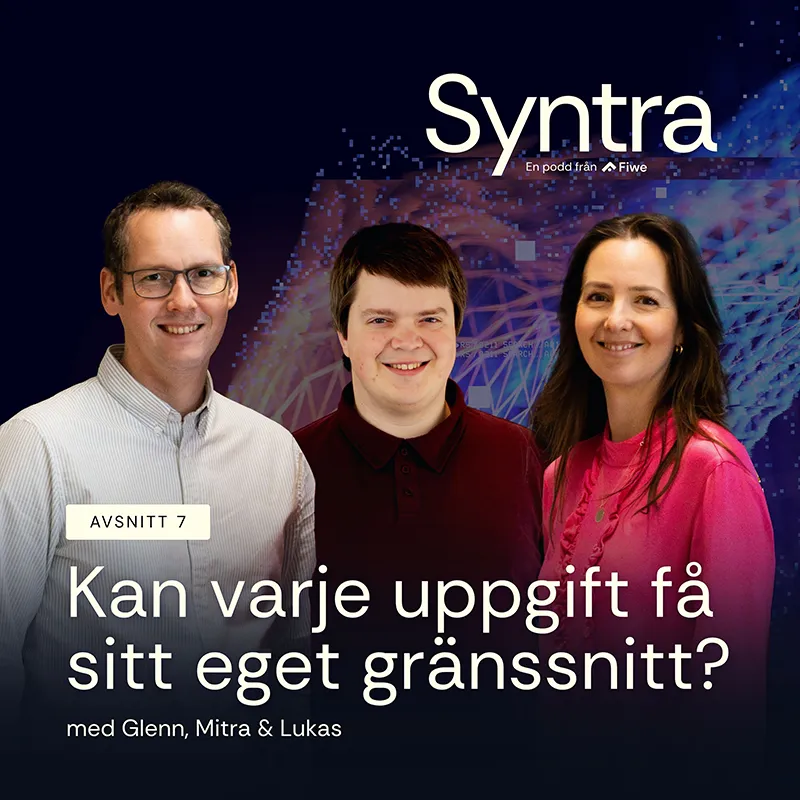
In the first Syntra episode of the autumn, Mitra Javadzadeh is joined by developers Glenn Svanberg and Lukas Söder to talk about the navigation tax, about where chat genuinely helps and where it is simply slower than three buttons, and about what happens when AI makes it cheap enough to generate a dedicated interface for every individual task. They also land on the two prerequisites that have to be in place before any of this works: free data via APIs and clear ownership of that data. And they offer two concrete places to start today.
Want to go deeper? Explore more in our library.
In this episode, you’ll learn:
Voices in this episode



Listen to the episode
Transcript of the episode
Introduction
Mitra:
A very warm welcome to Syntra. This is the podcast for you who drive your function forward and want to understand how the interplay between systems and users shapes the way we work. We share insights into how new technical possibilities are transforming how we work and interact with technology. And straight out of the summer heat, I almost said, or maybe the hammock, here we are, gathered again. Welcome back, Glenn.
Glenn:
Thank you very much.
Mitra:
Great to have you here. And today we have a lovely new colleague with us, namely Lukas. Who are you?
Lukas:
Hi there! I'm a developer here at Fiwe. I've been here for the past seven years, focusing on PIM, where we've worked on automating and improving our customers' processes.
Mitra:
It'll be great to hear your thoughts on today's topic, which is intuitive interfaces. So let's get going. We have thirty minutes as usual, and time flies. Let's start with this: what's the problem with today's interfaces? What do you say?
Systems that are supposed to do everything
Glenn:
Before we jump into the problem itself, maybe we should settle on what kind of interfaces we're actually talking about today. I have a view on what we should focus on, at least. I'm mainly thinking about internal applications like CRM systems, ERP systems and PIM systems. Those big systems. Or do you see it differently, Lukas?
Lukas:
No, no, exactly, that's them. They're meant to be generalists, they should work for everyone. You buy a big SAP and then it's supposed to work for the whole company. And then you have to dig into how it works and how you adapt it to your processes.
Glenn:
And these systems often come with an idea about how things should be done. They have an opinion, they want to steer an organisation in a particular direction. Because as you say, these systems are generalists, built to work for many different companies. But then they have to do things in a certain way. And there are no two companies that are alike and do things the same way. So you end up having to work against the system a bit, doing your things in a way the system never intended.
Lukas:
Exactly. Either you do violence to the system and force your processes into it, or you fall in line.
Glenn:
Mm. And at the same time these systems are supposed to support every type of role. You should be able to do everything from tabular mass updates to adjusting a single data record, or getting an overview of what's happened in sales over the past week.
Lukas:
That's a lot of buttons, a lot of submenus.
Glenn:
A huge number of functions in one and the same place, coming out of a DNA where you're trying to steer things in a direction that isn't quite the direction you're actually working in.
Mitra:
Something that strikes me as I listen to you: why do we want them to do everything? Usually an idea is born out of "I have a problem with this, can you help me fix it?" How do we get from helping me fix one problem to it having to do everything?
Lukas:
Well, it's a bit of economy of scale. You buy a big super-system built to work in every scenario. And you believe that's cheaper and better than anything else.
Mitra:
So it's security you're after. I'd rather pay more for those hundred other scenarios that may never happen. But if they do happen, I have a backup.
Glenn:
Exactly, then the functions are already there, almost supporting you. So you've essentially already bought the ready-made recipe for how to solve a task you'll get in the future. But it doesn't really support you.
Mitra:
And instead, I buy this backup, and it ends up getting in my way. I want to carry out a task, but it can't do it particularly well, because it can do everything instead.
Glenn:
It can do everything, but not particularly well. But it supports you fully, so you can do everything. There are no limits. But the cost is that you don't get an intuitive interface.
Seven things in your head and a forest of buttons
Mitra:
So how do we make the interface more intuitive? And why isn't it enough to simply use the system better?
Glenn:
I once read that a human being can only hold seven things in their head at the same time. I don't know if that number is right, it's surely more or less depending on the person. I don't think I can hold that many things in my head at once. But in these applications we build interfaces with considerably more than seven buttons and data points to look at and keep track of. Think of a large CRM system. You have loads of dropdown menus, and then there are dropdowns inside dropdowns. There's an endless number of submenus. It becomes mental overload to take in that many buttons.
Lukas:
So reduce the number of buttons and it becomes more intuitive.
Glenn:
But then you can't do everything any more.
Lukas:
Do you need to be able to do everything?
Glenn:
Well, we need to be able to support every use case.
Lukas:
You build smaller things on top of the big systems.
Glenn:
Yes, that's one way of handling it. Instead of building from a system, you build from a process and say: we have this task that needs doing. Okay, we leave the system in place underneath, but we build an application alongside it to support this particular task. That's really where no-code and low-code solutions come from. You get a drag-and-drop interface to assemble your own little application that handles one part of a process. And then you get a purpose-built interface that is intuitive, because it's built to do exactly this task. But you have the advantage of still having this huge system underneath that can do everything. So for the users who only work in that process, it becomes intuitive.
Mitra:
But where's the line? Earlier we said the problem is that it has to do everything, be a generalist, and now we're saying it has to handle every use case. But how do we know which ones are all the use cases we need to cover? How do we make that judgement?
Lukas:
That's probably where you should focus first: the times when you want a particular user group or stakeholder to do a task in the system, but they do it so rarely that they never really get going with finding the third submenu they need to reach their part of the interface. And trying to strip away the navigation tax that comes with that. Half the task is finding your way to the right place to do the thing.
Mitra:
Right. So the problem isn't that it can do many things. The problem is that it takes time to find the one thing I was looking for, in this sea of everything it can do.
Glenn:
It isn't a problem in itself that you can do many things. The problem is that you get overwhelmed, so you don't understand what you're supposed to do when you can do everything at once. That's why we need to keep the capability of doing everything. But not every user needs to be able to do everything. The ones we're talking about here, the occasional users who are maybe just one part of a process, they don't need to be able to find the seventh menu. They just need to change two or three fields on fifty of the rows in this system.
Mitra:
So when we talk about intuitive interfaces today, we really mean how we help a specific user quickly find or carry out what they set out to do?
Glenn:
Almost. I'm thinking more: how can we narrow things down so you only see what you need? Get the number of buttons down to the buttons you actually need, so it's easier to do what you're there to do.
Mitra:
Mm. Well, that's a consequence, of course. Or rather an effect of scaling it down.
Glenn:
You were thinking a step ahead of me.
Mitra:
No, I don't know about that. But I think we're talking about two sides of the same coin.
Will chat eat all the buttons?
Mitra:
But will chat end up eating all the buttons?
Lukas:
Not all the buttons. There are definitely scenarios where it's been much easier to just write a short note to a chatbot saying, well, I want to update this on this type of article, and something magical happens in the background and it gets done. But trying to write out what you want to do inside an application, in that kind of environment, you can end up spending five minutes writing what you want done instead of clicking the three buttons that would have solved the problem. So if you look at a weather app, SMHI for instance. You don't want to chat your way to what the weather is in Gothenburg today.
Lukas:
You want a search box where you type Gothenburg, and you get sunshine or rain.
Mitra:
As it usually is in Gothenburg.
Glenn:
And you don't get a wall of text as an answer in a chat saying, well, in Gothenburg it'll rain tomorrow and yesterday the weather was a bit better, and the wind will be 27 metres per second. No, you get a dedicated interface for presenting exactly the weather. You get nice symbols showing a sun, so you can take in the information that it's sunny at a glance. And you get symbols showing how windy it'll be. You have clear tables. You can take in the interface in the SMHI app incredibly quickly.
Mitra:
Is that a problem you're seeing now as AI picks up speed? That a behaviour is emerging where chat is supposed to solve much of the usability, so that I find the information or the function I need. Is that something you see becoming a problem? Given that you mentioned, Lukas, that this would have been much faster by just clicking those three buttons instead.
Lukas:
There are a lot of platforms and applications where we see it being built in without there really being a reason for it. Because the AI has to go in, it has to be there and it has to work. It's going to solve every problem. And how do you get an AI to solve every problem? Well, write what you want to do in the chat and it'll work.
Glenn:
It's a fantastic way of interacting with software, being able to just write exactly what you want and have it happen. It's a fantastic capability we have today. But actually having to type into a text box what you want, that isn't the most intuitive thing. You have to understand what you want. You have to be able to describe it the right way. You have to be able to put it into words. It's often quite slow to sit there writing texts like that.
Mitra:
Sometimes you don't know what you want until you see it. I see your blue water bottle. Oh, one of those, I'd like one of those too. I didn't know that before.
Glenn:
We can even take this all the way back to the beginning of the computer, the very first computers. Before we got these, well, Windows was a thing, that you got windows in your computer. An interface where you could drag windows around and see icons and so on. Before that we had a terminal window. It's exactly the same thing as chat, that you had to type every single command. Text in, text out, that was all that was communicated. But over time we learned that wasn't the best way to interact, and so people started building interfaces that show the user what's happening instead. Showing where you can click, instead of having to memorise every single command.
Mitra:
But is it wrong to have a chat? I'm thinking that we have different behaviours. We look for information in different ways depending on what it is. Sometimes I find it hard to express myself in a chat, and then it helps to be able to see. That gives me an idea of what I want. On another occasion it's easier to explain, because it's simpler for me to describe roughly the context I'm in and then get some kind of help. And then switch over and look at a picture. Isn't it really the case that there's no right and wrong, but rather that there should be several different ways of doing it? Or do you think chat should be limited more?
Lukas:
Chat definitely has its place. Because however much you'd like to simplify things, there's always some kind of complexity further out. So in the situations where a simple form, or some three-page form where you fill in what you want to do, isn't enough, then you may simply need to reach for a chat with an AI that has a better internal connection to the system and can carry out the deeper operations.
Glenn:
Yes, chat definitely has value, but I think there's a spectrum here. I see absolutely no value in having a chatbot in the SMHI app. There I just want to see the weather. But I do see value in having it in a CRM system, because it can help me do the operations I rarely do. If I need to run a specific query to find everyone named Agda born in '75. I might not know how to do that, but I can ask the chat to do it. Then it can do it for me and help me get away from all these buttons. I think there's a middle ground in between that we're missing. Not everything is chat and not everything is SMHI, but there's a sea of possibilities in between that people often miss.
Interfaces generated the moment the task appears
Mitra:
And what possibilities does this sea offer?
Glenn:
People try to address it with these no-code and low-code solutions and dedicated interfaces for a specific task. That's one way of taking a task in a complex system, erasing everything you don't need to do and showing only what you actually have to do. But we're seeing AI coding eat up the no-code and low-code solutions. It's so much faster to vibe-code an application together than to sit with drag-and-drop options to build your interface. So some kind of new possibility is being created here.
Lukas:
Yes, it's great for the processes we've clearly defined in advance. Article onboarding, say. We always have to fill in this type of data and we always need to steer in a certain direction.
Mitra:
So how do you make it more intuitive? How do we make the interfaces more intuitive?
Lukas:
We need to find good ways of stripping away all the superfluous parts of the interfaces. Either by building for specific processes. Otherwise it's better to find a way for these one-off use cases, where the buyer needs to go in and tweak the price on a single article. Finding a way to give them an interface for exactly that task, and maybe even narrow it down to precisely the article they're after. So you can generate an interface for the specific scenario they have right now.
Glenn:
And generating an interface when a user actually has a task, that's taking vibe-coding, or letting an AI create an application for you, to its logical conclusion. Instead of paying a development team for several weeks to create an application around a process, you trust the AI completely to create an application in a minute, and then it can solve a task. That's where we're heading. Creating software is getting faster and faster.
One interface per user, not one for everyone
Mitra:
Do you mean there should be many different types of interface? Let's say it's one company, different users, occasional users and superusers all in there. Are those different interfaces?
Lukas:
Yes, that's how I picture it at least. Because the power user won't want to give up the interface where they've worked for the past five years and know every button inside out. Some operations they might rather do in a lighter interface. But the bulk of their daily work they'll happily keep in their big, fine interface. But there's no good reason to give the same interface to the buyer who's going in to tinker with their price, or the assortment manager who needs to make sure things land in the right categories or campaigns. Giving them the same big scary interface.
Mitra:
So you're saying you don't get away from the systems' own interfaces. There are still people who know every last detail and still want to be in that interface. We'll need to keep that, but we add more ways of creating new types of interfaces for other users. That the two play together.
Lukas:
Yes, I think so. The need is still there for the big generalist interface that can do everything. Partly before you've worked out how you want to specify a process to make it easier for the others, but also to administer the system and do other work that isn't as clearly defined as what the occasional users tend to do.
Glenn:
There's definitely a place for all these dimensions. And as you were saying, the reason we've invited everyone into the complex system is purely a budget question. Because it's been too expensive to create dedicated applications for every single process. You can't manage it. You can do it for a handful of processes. But it's definitely been too expensive to create an application for every single task you do in an organisation. It simply hasn't been possible. You can't spend half a million on creating an application to update the price on one article. And then make the same effort for the next article. It doesn't work. But now that AI comes in and shakes up the world, we can do it for pennies, and then it might be worth it. Then we can have an application for every task. Every user can be met by a system that actually understands them.
The prerequisites: free data and clear ownership
Mitra:
But what would the process look like for a company today that thinks, right, we want to start working this way. We want to build interfaces that are user-friendly for other users too. How do you go about it?
Lukas:
You have to start by reviewing the processes you have today. You may also have had the question before, perhaps several times, from different parts of the organisation: could you adjust this type of data for us? That kind of process is a prime example of something you can easily break out into something smaller. And then either you build a fully dedicated application for that type of process. It depends a bit on how big or small it is. Do I just need to go in and hit approve on a price? Well, then maybe you don't need a fully dedicated application. Then something lighter that can be generated automatically may be enough. Whereas if you need to review which supplier we should use for an article, and compare the different prices from the different suppliers and that kind of data, then a completely standalone application built specifically for that process may be more interesting.
Glenn:
This is exactly the right way to attack the problem. But I think you have to rewind a little, to when you look at what the underlying systems are. Should we have SAP at the foundation, or should we have something else? When you make that evaluation you have to look at it in terms of where interfaces are heading. What will an intuitive interface be in the future? If we believe in this philosophy of dedicated applications and generated interfaces, then we need the core system to be able to meet that need. That it has clearly defined APIs so you can interact with the data that way. Otherwise we get stuck in these rigid systems, because the data is trapped there and we can't work with it.
Mitra:
What are they? You touched on it, but what are the basic prerequisites for working with these intuitive interfaces? You mentioned APIs as one.
Glenn:
It's that the data is free, I'd say. That you can work with it, that you can interact with it. That you can write a program that pulls data out and writes data back. Normally you do that via an API.
Mitra:
Is there anything else you need to think about? Is that it?
Glenn:
Beyond that, it's important to have clearly defined ownership of data. It's not enough to simply set the data free and let every system tinker with it. Because not everyone should be allowed to tinker with it. So who actually owns a data point?
Mitra:
So ownership, and APIs that help get the data out, send data, receive data. If those pieces are in place, then we're ready to start looking at how we can work with intuitive interfaces.
Lukas:
Yes, those are the pillars, and then you look at the processes on top of that and see where you can put the effort to simplify.
From proof of concept to production
Mitra:
And these interfaces, is this something that means I need to go to different platform vendors, or is it something I can work on within a department internally? How much can I develop myself and how much am I dependent on another vendor?
Lukas:
The only other dependency would be access to these APIs or data points. If you get access to them and the ability to write and read, then you can build whatever you want yourself.
Glenn:
And with today's tools, almost anyone can vibe-code an application that solves a problem. And we're seeing more and more of it popping up. People who aren't programmers creating applications. Really exciting, because they're the ones sitting with the problem and they know how it should be done. They may not have the skills to maintain and operate it properly over time. That's where support can be needed. But building an application, pretty much anyone can do that.
Mitra:
And they may need support in leading that work in a way where you ask the right questions and think through how you could do certain things. There are usually a thousand different answers to the same thing, really. And that's where you might want more brainpower to solve problems in different ways.
Glenn:
I'd encourage everyone to at least build a proof of concept themselves. You don't need to involve anyone else to test an idea. Then taking it from a concept and an idea, along the lines of "this seems pretty cool", to having something running in production, that's where it can make sense to get some support. But do the first test yourself. Path of least resistance. Just try it. We have to dare to fail fast (learn more in the Syntra Utbenat podcast episode on this topic). Because it's you out there who sit with the problems and understand them. And if you manage to express it so you can demonstrate "this is how you could work with it", then we can help you take it further.
Mitra:
I do think you can tell that people are out there testing. They're trying things. There are individuals in the departments. Companies have come out and encouraged people to use AI, to experiment. But I see the gap appearing later, as you were saying, Glenn: yes, we've tried it, but how do I take it to production? How do I create results? How do I contribute value tied to the business somehow? My sense is that people are testing right now. Many companies encourage it. But the step to actually rolling out into production, into something functioning that delivers value, that's where there are still some challenges?
Lukas:
Yes, and it depends a great deal on how each individual organisation runs its IT and how they usually put that type of application into operation. And not all organisations are used to that. Having an internally built application that you set up and operate.
Glenn:
I think there are very few organisations that are used to getting an application from Lovable and saying, "we need this in our infrastructure." There may be a few who've done it, but I don't think many are used to that journey.
Lukas:
No, "used to" is probably putting it strongly.
Mitra:
We mustn't forget that this has gone pretty fast, these new possibilities. We haven't had time to settle into it and build the habit. But somehow it feels normal now, even though you haven't started adopting it yourself yet.
Summary
Mitra:
And if you were to send this out, one final reflection to everyone listening. We're talking about intuitive interfaces. What do you want listeners to take away?
Lukas:
Review the processes that are very simple in themselves, but that are usually done by someone else. Where you export an Excel sheet out of your system, send it to another department who deal with it, and then read it back into the system. Start there and look at what you can start pulling at. And get them to define their need there.
Mitra:
Good example, Lukas. Really. Easy to take away. What about you, Glenn, what are you taking with you?
Glenn:
I'd like to bring up the navigation tax. We talked about it earlier and I don't think we really defined it. But it's like having to pay a tax for navigating your way to where you're going to carry out a task. It can be a huge number of clicks to reach a work task. Think about how many of your work tasks the navigation tax is the bigger price, where you pay more time and clicks getting to the task than actually doing the task itself. There you've either got the wrong way of working, or the wrong interface, if it's more work to click your way to what you're supposed to do than to do it.
Mitra:
Yes, two very concrete and neat examples. Or the navigation tax is the neater one. And the Excel one is an extremely practical, clear and simple way of approaching this, and of what you can start doing today. An exciting episode, intuitive interfaces. This probably won't be the last time we talk about it. Many thanks to you both for joining today.
Glenn:
Thank you very much. Thanks, thanks.
Mitra:
Wonderful, and lovely to have you here, Lukas. We hope there'll be more occasions.
Glenn:
We hope so!
Mitra:
And for anyone who wants to listen to more, do dive into the world of our library on our website and look for more episodes, and look forward to the next one coming.